

What if one quick settings change could cut your office paper use nearly in half, without anyone changing a single habit? That’s what happens when you set double-sided (duplex) printing as the default. It’s one of the simplest office productivity tips out there, and it takes about five minutes.
Why Defaults Change Everything
People print whatever the default is. Change the default and behavior changes automatically, with no memos, reminders, or nagging. For a small business, the savings add up fast: less paper to buy, fewer reams to store, and fewer trips to refill the tray.
“The best productivity upgrade is the one nobody has to think about.”
How to Set It Up
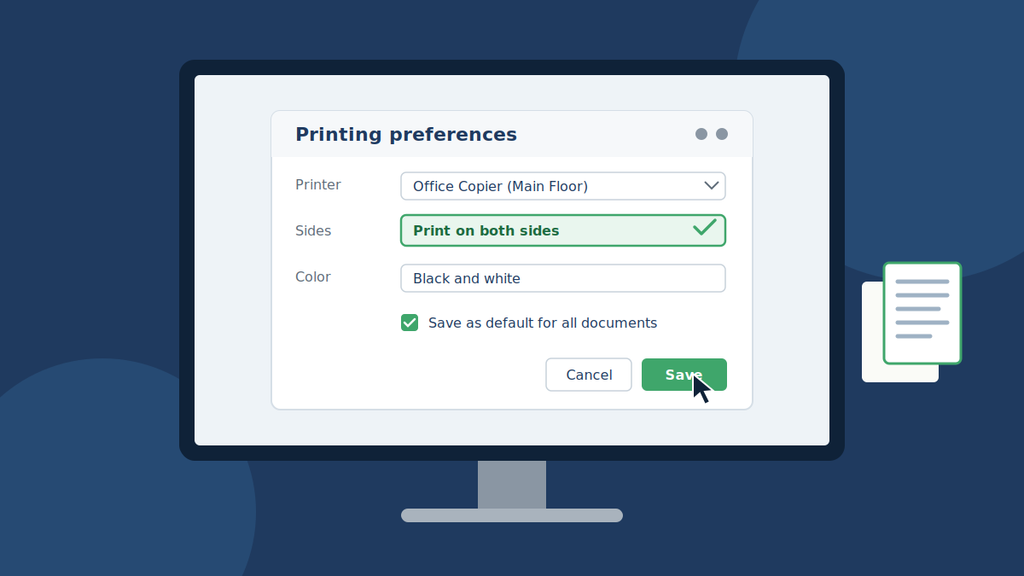
- Windows: Settings > Printers & scanners > select your printer > Printing preferences > choose “Print on both sides.”
- Mac: In the print dialog, select “Two-Sided,” then save it as a preset.
- Whole office: Ask your IT team or print provider to push duplex as the default on every device.
Make Your Equipment Work Smarter
Some older machines don’t support automatic duplexing. If yours doesn’t, it may be time for an upgrade. Copier leasing gives you modern, duplex-ready equipment without a big upfront cost. A copier machine for lease often includes maintenance and supplies, so your budget stays predictable.
Pair that with managed print services and you get usage reports, automatic toner delivery, and smart defaults (like duplex) configured across every device. That’s office productivity on autopilot.
The Bottom Line
Making double-sided printing your default saves paper, money, and storage space, with zero extra effort from your team. It’s also an easy way to show employees and customers that your business values efficiency and sustainability.
Ready to go further? Explore copier leasing and managed print solutions built for small business needs.
📤 Share this tip with a coworker who still prints single-sided!
#OfficeProductivity #SmallBusiness #ManagedPrint #CopierLeasing #GoGreen